By Tap Review Cards Team
October 30, 2026
How to Get More Google Reviews with NFC Review Cards
Customer reviews play an important role in building trust and attracting new customers. When people search for a business on Google, reviews often help them decide whether to choose your products or services. However, getting customers to leave reviews can sometimes be challenging.
One simple way to make the process easier is by using NFC Google Review Cards. These smart cards allow customers to access your Google review page with a quick tap of their smartphones, making it easier to share their experiences.
In this guide, we will explain how NFC review cards work and how they can help your business collect more genuine Google reviews.
Why Are Google Reviews Important for Your Business?
Google reviews help potential customers understand what others think about your business. Positive, genuine feedback can build credibility and give new customers more confidence when choosing your services.
- Build Customer Trust: Reviews provide social proof and help potential customers feel more confident about your business.
- Improve Online Visibility: A strong review profile can contribute to your local search presence.
- Understand Customer Experiences: Feedback helps you identify what customers appreciate and where improvements are needed.
- Attract New Customers: Helpful reviews can influence purchasing decisions and encourage people to contact your business.
For businesses looking to grow their online reputation, making the review process simple is a great starting point.
What Are NFC Google Review Cards?
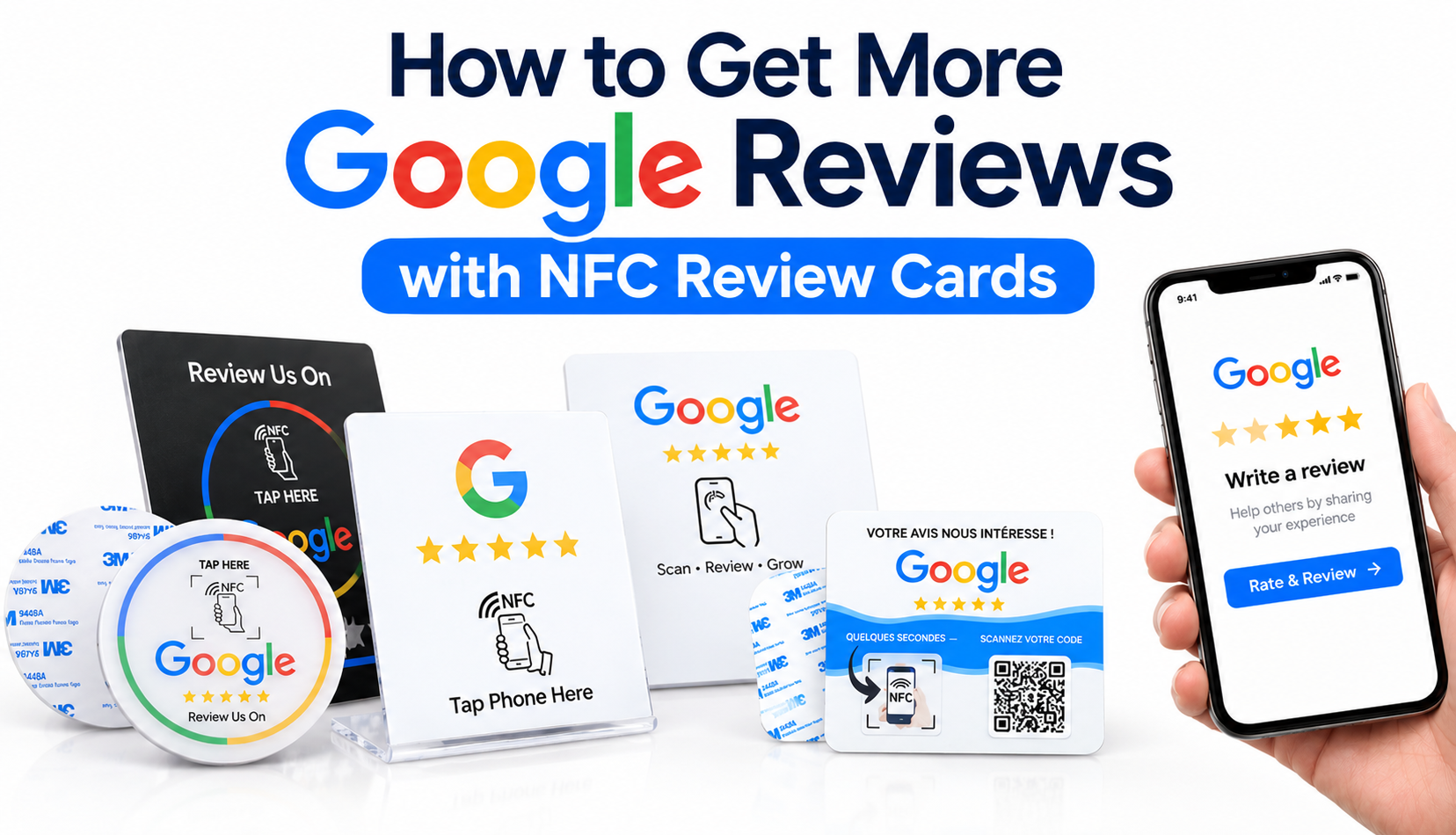
NFC Google Review Cards are smart cards or stands that use Near Field Communication (NFC) technology to connect customers directly to a business's Google review page.
Instead of searching for your business online or typing a review link, customers simply tap their NFC-enabled smartphones on the card. Their phones open the review page, where they can share their feedback.
Most NFC review cards also include a QR code, giving customers another way to access the review page if their smartphone does not support NFC or they prefer scanning.
These cards are available in different styles, including acrylic stands, round review cards, countertop displays, and adhesive-backed cards.
Explore our range of Google Review Cards to find a convenient solution for your business.
How to Get More Google Reviews Using NFC Review Cards
Using NFC review cards is a simple way to make requesting customer feedback part of your daily business routine.
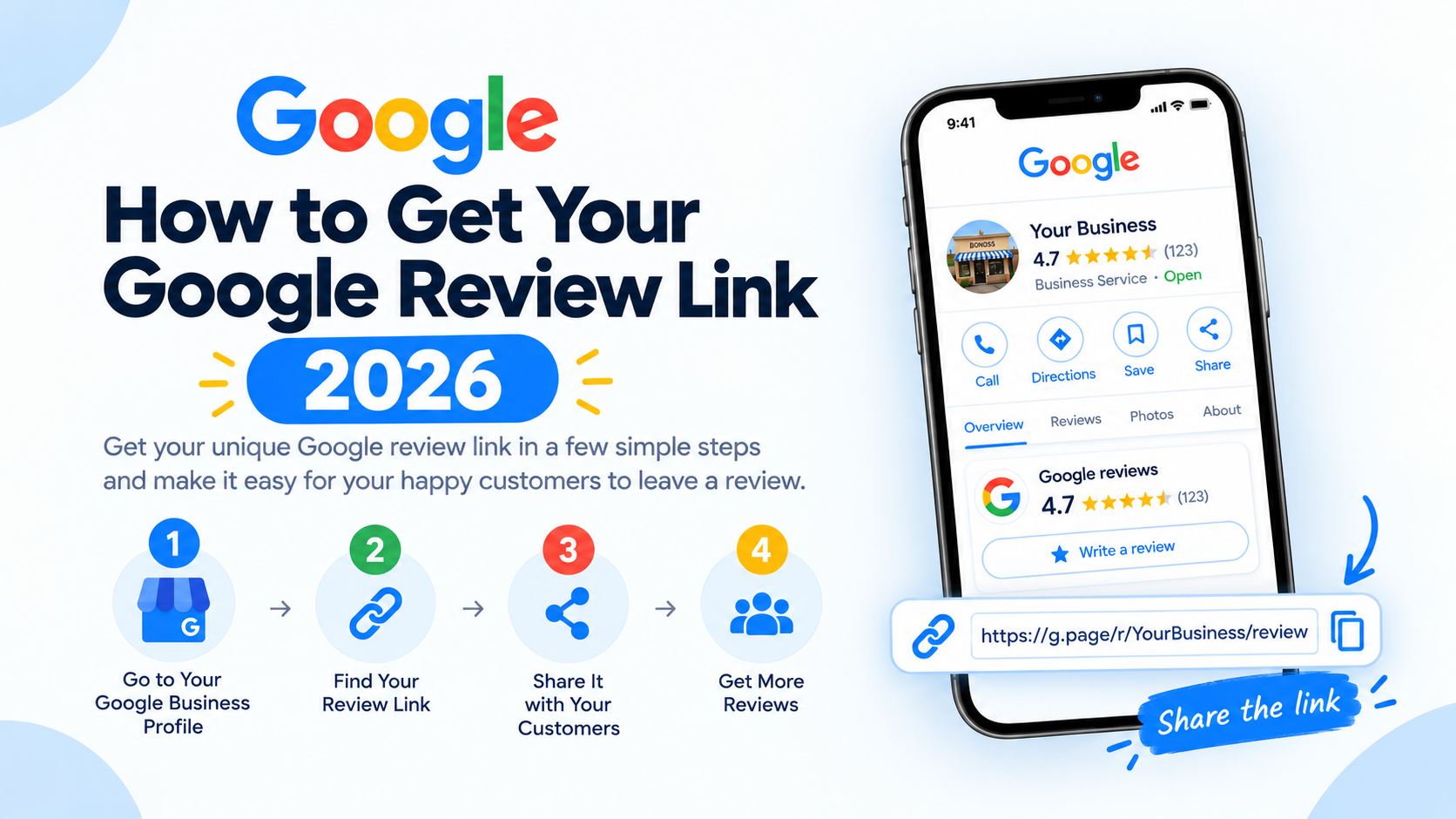
1. Set Up Your Google Review Link
First, find your business's Google review link through your Google Business Profile. This is the link customers will use to access your review page.
Make sure the link directs customers to the correct business profile and review submission option.
2. Choose the Right NFC Google Review Card
Select a card that suits your business environment. For example:
- Acrylic NFC Stands: Ideal for restaurant counters, reception desks, and checkout areas.
- Round NFC Review Cards: Compact and suitable for tables and countertops.
- Adhesive NFC Cards: Useful for attaching to flat surfaces where customers can easily see them.
- QR Code Review Cards: Provide an alternative for customers who prefer scanning rather than tapping.
You can also explore our NFC Rating Cards , designed to help customers access your review page with a simple tap.
Choose a design that is easy to notice and includes a clear message such as "Tap Here to Review Us."
3. Place Your Cards Where Customers Can See Them
Location matters when encouraging customers to leave feedback. Place your NFC review cards in convenient areas where customers naturally interact with your business.
- Restaurant tables and checkout counters
- Hotel reception desks
- Retail store payment counters
- Salon and spa reception areas
- Office reception desks
- Service completion areas
The goal is to make accessing your Google review page convenient without interrupting the customer experience.
4. Encourage Customers to Share Their Feedback
A simple, friendly reminder can encourage customers to share their experiences.
For example, you can say:
"Thank you for choosing us! If you have a moment, we would appreciate your honest feedback on Google. Simply tap the card to leave a review."
Remember to ask customers for honest feedback without pressuring them to leave a positive rating.
5. Make Reviewing Easy with NFC and QR Technology
Convenience is one of the biggest advantages of NFC Google review cards.
Customers can tap their phones on the card to open your review page. Alternatively, they can scan the printed QR code.
By providing both options, you make it easier for customers with different smartphones and preferences to access your review page.
Benefits of Using Google Review Cards for Your Business
Traditional methods of requesting reviews often require customers to search for your business or follow several steps before reaching the review page.
Google review cards simplify this process.
- Quick Access: Customers can open the review page with a simple tap.
- Easy to Use: No app installation is generally required for compatible NFC-enabled phones.
- Professional Appearance: Acrylic stands and custom cards create a clean, professional display.
- Dual Technology: NFC and QR codes provide two convenient ways to access the review page.
- Everyday Convenience: Cards can be placed in visible locations and used throughout the customer journey.
Whether you run a restaurant, hotel, salon, retail store, or service-based business, NFC review cards can help make collecting customer feedback easier.
Best Practices for Getting More Google Reviews
To build a trustworthy review profile, keep these practices in mind:
- Ask customers for feedback after they have experienced your product or service.
- Make your review link easy to access using NFC cards or QR codes.
- Ask all customers equally rather than only requesting reviews from customers you expect to be happy.
- Never offer discounts, gifts, or payments in exchange for reviews.
- Respond professionally to both positive and negative feedback.
- Use customer feedback to improve your products and services.
Consistency and genuine customer experiences are more valuable than trying to collect reviews quickly.
Frequently Asked Questions
Do NFC Google Review Cards really help businesses get more reviews?
NFC review cards make it easier for customers to access your Google review page. By reducing the steps involved, they can help remove friction and encourage more customers to share genuine feedback.
Do customers need an app to use NFC review cards?
Generally, no. Compatible NFC-enabled smartphones can open the review link through their built-in NFC functionality. Customers can also use the QR code as an alternative.
Can I use NFC review cards for restaurants?
Yes. Restaurants can place NFC review stands on tables, counters, or near payment areas to make leaving feedback more convenient for customers.
Can NFC review cards work with QR codes?
Yes. Many NFC Google review cards include both NFC technology and a QR code, giving customers two ways to access the same review page.
Start Collecting More Google Reviews with NFC Review Cards
Getting customer feedback should not be complicated. With NFC Google review cards, businesses can make the review process quicker, easier, and more convenient.
From acrylic stands to round NFC cards and QR-enabled displays, these products provide a practical way to connect customers directly to your Google review page.
Explore our Google Review Cards and NFC Rating Cards to find the right solution for your business.
Make it easier for customers to share their experiences, build a stronger online reputation, and create more opportunities for your business to grow.